At a glance
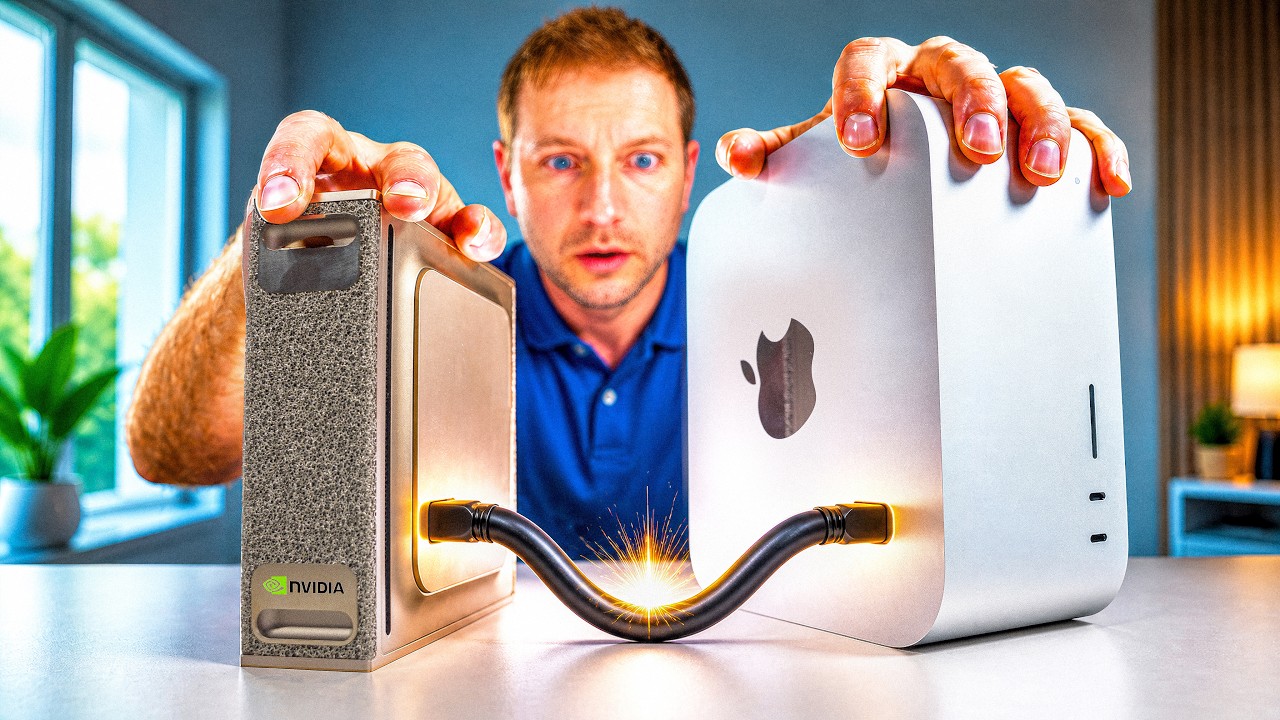
Kai tests the viral claim that you do not need an expensive GPU anymore, using Strata, a free MIT-licensed local inference engine that spreads a mixture-of-experts model across three tiers: the hot core on the GPU, the busy experts in system RAM, and the huge rarely-read lookup tables on an SSD. That is how a 763 billion parameter model, DeepSeek V4.1 Flash, loads on a 12 GB card. The viral "100+ tokens per second" number turns out to be the prompt reading speed (prefill); the writing speed (decode) on the same card is 4 to 6 tokens per second. The expensive part did not vanish either: it moved from VRAM to RAM, and DDR5 kit prices rose more than sixfold in a year. The video ends with a practical map of what 16, 32, 64 and 128 GB of RAM actually buy you, and a plain recommendation to rent DeepSeek through its API unless privacy forces you to run it locally.
The 24 GB VRAM wall
From 0:00 Kai opens with a feeling most people who follow local AI know: three hours deep in Reddit threads about GPU benchmarks, VRAM requirements and context windows, then opening the wallet, looking at the number, and slowly closing it again. That was Kai for almost a year. Every time a big model looked exciting, the same wall appeared: a minimum of 24 gigabytes of VRAM. And every time a 24 GB card came up, the price sent Kai off to lie down.
The machine in question is perfectly solid but nothing flashy: a Ryzen 5, 64 GB of RAM, and an RTX card with 12 GB of VRAM. Every forum, every YouTube video and every comment section said the same thing: 12 GB is not enough, go bigger, spend more. So Kai waited and watched, telling themselves the next GPU cycle might be different.
Then, in late September of this year, something changed. A free engine called Strata dropped on GitHub with an MIT license and a desktop app for Windows, Linux and Mac. It claimed, "with receipts," to run a 763 billion parameter model on a 12 GB card, which is exactly the card in Kai's own machine. Kai immediately lost their mind and set out to answer three questions: is it real, is it usable, and what is the catch, because there is always a catch.
The video promises everything Kai found: the good and genuinely impressive, the "wait, this is slower than I thought," and "the part nobody's putting in their thumbnails."
What Strata is, and why 38 days matters
From 1:37 the video defines the thing. Strata is a local inference engine, the software that actually runs an AI model on your hardware. It sits in the same category as llama.cpp or Ollama, but does something architecturally different under the hood.
The numbers on its short life:
- It went up on GitHub on September 24th.
- In the 38 days after that it shipped 63 releases. Kai: "I've had houseplants that needed less attention than that."
- It collected around 37,000 GitHub stars, which Kai likens to everyone in a medium-size city standing up and applauding at once.
The model it launched with was Qwen 3.8 Flash-Next at 125 billion parameters, which is already enormous. This is not a cute 7 billion parameter party trick but a model with serious reasoning capability. Then, in late October, the project added the model that sent the internet sideways: DeepSeek V4.1 Flash, with 763 billion parameters, an MIT license, a 1 million token context window, and the claim that it runs on a 12 GB card. That last claim is why people were posting screenshots at 11 at night and tagging their friends.
Kai's guiding rule from years as an excited early adopter: when something sounds too good to be true, it is usually not false, just incomplete. The complete story is more interesting than the headline.
How a 763B model fits on 12 GB
The idea that unlocks all of it, from 3:13, is not magic. It is clever engineering.
Why the whole model does not need to live on the GPU
You would assume the entire model has to sit in GPU memory, and that assumption is exactly what the "minimum 24 GB VRAM" requirements are built on. For some models it is more or less true. But modern large models, especially mixture of experts (MoE) models, do not work that way, and DeepSeek V4.1 Flash is one.
Instead of one giant brain that always uses all of itself, a mixture of experts model has hundreds of small specialized chunks, literally called experts, and for each word it generates it uses only a small handful of them. The specifics for DeepSeek V4.1 Flash:
- 40 layers, each holding 384 experts.
- For every single word it writes, it uses 6 experts per layer.
- So at any given moment most of the model is just sitting there doing nothing.
On top of that, DeepSeek carries something called the Engram (the video's description spells it Engram; the automatic captions render it "N-gram"): two lookup tables totaling 196.6 billion parameters, a quarter of the entire model. For each word, the model dips into those tables for a handful of rows and ignores the rest. In the video's own words it is "DeepSeek's 110 GB Engram lookup table" when stored on disk.
The three tiers
What Strata does is exactly what you are already thinking: it works out which parts of the model get used constantly, which get used sometimes, and which barely get touched, then puts each part in the cheapest place it can still be read from fast enough.
- Tier 1, GPU (VRAM): the hot core of the model, which every single word needs, plus the most frequently used experts, as many as will fit.
- Tier 2, system RAM: the next band of frequently used experts.
- Tier 3, SSD: the stuff that barely gets touched, including the entire 110 GB Engram table, pulled only when a specific word actually asks for a row.
That is how a 763 billion parameter model runs on 12 GB of VRAM: the card does not hold the model, only the hot part of it. Kai sat back when this clicked and said, "Okay, that's actually brilliant."
The chef analogy
Kai's mental picture: a chef who keeps their most-used knives on the counter, their occasionally used gadgets in a drawer, and their one-purpose specialty tools in a box in the pantry. They are not slower because the box is in the pantry, since most of the time they never need what is in it. The catch, which the rest of the video explores, is what happens when the dish being cooked does need the pantry on almost every step.
The viral 100+ tok/s number
From 5:45 Kai gets to the number that, in their words, almost made them make "a different video, and a much angrier one."
On October 25th, a post on X claimed DeepSeek V4.1 Flash was running on a 12 GB RTX 5070 at over 100 tokens a second, and it drew almost 100,000 views. Another post the same day said 105 to 117, and people were quote-tweeting both with fire emojis and "local AI is here" energy. Kai saw them, got excited, did the mental math on what over 100 tokens per second on a model that size would mean as a coding assistant, and even started drafting a list of things they would finally be able to do.
Then Kai read Strata's own documentation. Its performance table for that exact card, the 12 GB RTX 5070, shows two numbers:
- It reads your prompt at about 110 tokens a second.
- It writes the answer at 4 to 6.
The viral number was the reading speed, the thing the engine does before it says a single word back to you. Kai is explicit that they are not mad at the people who posted it, and that they would probably have made the same mistake running the benchmark themselves.
Prefill versus decode
These are two completely different operations that perform in completely different ways, and the gap between them is enormous.
- Prefill (reading your prompt) processes thousands of tokens all at once, in a batch. When it fetches an expert from RAM or the SSD, that one fetch is reused across the whole batch, so it gets a lot of use out of each trip.
- Decode (writing the answer) generates one token at a time. Each token needs its own specific set of experts, and each one is its own round trip to wherever those experts live. On a 12 GB card running DeepSeek, a lot of those experts are in RAM or on the SSD, so there is a fresh trip for each one.
That is why the same card shows about 110 tokens per second reading and 4 to 6 writing, two numbers more than 20 times apart. The practical rule Kai hands the viewer: when you see someone sharing a screenshot with a big number, the first question to ask is whether that is the reading speed or the writing speed. "Those are two completely different conversations about two completely different things."
What 4.7 tok/s actually feels like
From 8:05 the video grounds the excitement in real use.
Waiting
At 4.7 tokens per second, a 1,000 token response takes about 3 and a half minutes of staring at the screen. That is roughly a long function plus an explanation, the kind of thing people ask a coding assistant for all the time. Kai tried it and watched: "I have the patience of a person who once waited 25 minutes for a progress bar in 2007 because the alternative was starting over." But three and a half minutes of a blinking cursor is its own kind of suffering.
The fair comparison: Qwen on the same hardware
To be fair, Kai says, Qwen 3.8 Flash-Next, the 125 billion parameter model, runs at around 94 tokens a second on the same hardware. That is genuinely fast: a 1,000 token answer in about 11 seconds, a usable model on a 12 GB card, and the place where Strata delivered on its original promise. DeepSeek is a different story, and its fast reading only makes the slow writing feel worse by contrast. The prompt reads in quickly and you think "okay, here we go," and then it just crawls.
The reading side is not free either
A real coding agent setup that knows your project structure, your tool definitions and your current file might open with about 30,000 tokens of context. On the 5070 PC running DeepSeek in its best reading configuration, that is over 2 minutes before it writes a single character back, every time you start a new task.
One creator who actually ran an agent workflow with DeepSeek on this class of setup raised the context window, which any serious work requires. After that, a single simple question about a small game's code base took 11 minutes and 30 seconds, and that was on a 12 GB card plus a 24 GB card running together. Kai's verdict: "An answer that slow to a simple question isn't an AI assistant anymore. It's a very polite email thread."
Possible versus pleasant
Kai is careful not to sound like they are trashing Strata. They are genuinely impressed by what was built. The right framing, they say, is that Strata made it possible to run DeepSeek on consumer hardware, and what "possible" feels like depends a lot on your hardware and your patience. On a card that size, "possible and pleasant aren't the same thing yet."
| Workload on the 12 GB RTX 5070 PC | Speed | Time |
|---|---|---|
| DeepSeek, write a 1,000 token answer | 4.7 tok/s | about 3.5 minutes |
| Qwen 3.8 Flash-Next, write a 1,000 token answer | about 94 tok/s | about 11 seconds |
| DeepSeek, read a 30,000 token agent prompt | best reading configuration | over 2 minutes before the first word |
| Qwen 3.8 Flash-Next, read a 30,000 token coding prompt | prefill | about 11 seconds |
| Agent question on a small game code base (DeepSeek, 12 GB plus 24 GB cards, larger context) | another creator's run | 11 minutes 30 seconds |
The price tag moved to RAM
From 10:26 comes the part Kai says they spent the most time on, "where the conversation about you don't need an expensive GPU gets genuinely complicated."
Strata's whole bet rests on one idea: gigabytes in RAM are cheap and gigabytes on the card are expensive, so keep as little as possible on the card and let cheap RAM do the heavy lifting. That was an excellent bet when Strata was being designed. It is a harder bet today. Kai runs the actual price list as of late October ("the math nobody's putting in their thumbnails"):
- Used RTX 3060, 12 GB: about $310 on eBay, roughly $26 per gigabyte of VRAM.
- 64 GB kit of DDR5 desktop RAM: about $1,200, going by the median across 77 kits in stock, or about $19 per gigabyte.
- DDR5 therefore costs about 70% of what a used 3060's VRAM costs per gigabyte.
- A year earlier the same kind of kit was about $191, or $3 a gigabyte. Today it is $19, "more than six times the price in 12 months."
So take the build most of the Strata community recommends, a used 3060 plus 64 GB of DDR5: $310 for the card and $1,200 for the RAM. The RAM costs four times as much as the graphics card. "The expensive part didn't leave, it just moved one slot to the left."
Kai quotes a viewer comment under a Strata video that put it better: in Canada, a 5070 Ti costs what a 4090 did at launch, and "not needing an expensive card is doing a lot of work in that sentence."
The genuinely cheap path: the SSD
There is a cheap path, and it is the SSD, which is where Strata keeps pushing as much of the model as possible.
- A 2 TB PCIe 4 NVMe drive runs about $253, which is 13 cents per gigabyte, about 150 times cheaper per gigabyte than DDR5.
- DeepSeek's 110 GB Engram table comes to about $14 of SSD. The same table in DDR5 would cost about $2,100.
- So every gigabyte that moves from RAM to SSD saves roughly $19.
The catch: the SSD only works for bytes that do not need to be read constantly, and on this particular model a lot of what matters gets read constantly. The SSD tier is 10 times slower than DDR5 in bandwidth, and DDR5 is already four times slower than VRAM. The slow tier is where you really feel the cost of running a model too big for your hot tiers.
DDR4 as the capacity play
If you are on DDR4 rather than DDR5, the math is interesting in its own way. A 64 GB DDR4 kit is about $500, roughly $7.80 per gigabyte, so you get more than twice the capacity per dollar. The trade-off is about half the bandwidth, which means the CPU half of every token takes about twice as long. More capacity, slower operation, and depending on what you own that may be the better deal.
So the right question, Kai says, is not "which GPU should I buy," but "what is my per-gigabyte cost across all three tiers, and how many gigabytes does the model I want need in each one?"
| Tier | Example part | Price | Per GB | Speed note |
|---|---|---|---|---|
| VRAM | Used RTX 3060, 12 GB | about $310 | about $26 | Fastest |
| DDR5 | 64 GB desktop kit (median of 77) | about $1,200 | about $19 | About 4x slower than VRAM; was about $191 (about $3 per GB) a year ago |
| DDR4 | 64 GB kit | about $500 | about $7.80 | About half the bandwidth of DDR5, so the CPU half of each token takes about twice as long |
| NVMe SSD | 2 TB PCIe 4 | about $253 | about $0.13 | About 10x slower than DDR5; 150x cheaper per GB |
Why the older RTX 3060 is faster
From 13:53 Kai shares the result in Strata's performance data that "genuinely broke my brain a little," and calls it both hilarious and deeply instructive.
3060 versus 5070
On Strata's reference hardware for DeepSeek V4.1 Flash, the RTX 5070 PC writes 4 to 6 tokens a second. That is a modern 12 GB card with a 6-core Ryzen 5, 64 GB of DDR5 and a 3.6 GB/s SSD. Now look at an RTX 3060, a card from 2021 with about half the memory bandwidth of a 5070, and only 46 GB of RAM instead of 64, running the same model on the same task. That PC writes 9 to 11 tokens a second. The machine with the cheaper, older card is twice as fast.
Kai stresses how counterintuitive this is after years of internalizing "better GPU, better AI performance." The reason, obvious in retrospect: when most of the model is not on the GPU, the GPU is not the bottleneck. The CPU, the RAM and the SSD are, and the GPU just finishes its share and waits. Strata's own model guide says it plainly, that on a 12 GB card most of each token's time is spent waiting on the SSD and the CPU. The 3060 machine happened to have a better CPU, faster storage, or some combination that made the non-GPU work faster, and the expensive newer card had nothing to speed up because the work had moved somewhere it could not reach.
The $700 data center card versus the $7,770 flagship
The same pattern shows up in a comparison between a $7,770 RTX 5090, the flagship, and a $700 used AMD data center card from 2018, the MI50. Both have 32 GB of memory, and the 5090 costs 11 times as much. On DeepSeek:
- AMD MI50: 22 to 23 tokens per second.
- RTX 5090: about 15 to 25 depending on conditions.
The 2018 server card from eBay matched or beat a flagship consumer GPU costing nearly $8,000. The sources are the RTX 5090 test in Strata issue 4170 and the AMD MI50 test on r/LocalLLM.
Kai flags the caveats honestly: different settings were used, the 5090 was running a longer context, and these were single runs on a warm cache, so the comparison is not perfectly clean, "but the ballpark is real."
Capacity, not speed
What actually matters for DeepSeek's decode speed is not the GPU chip but the number of experts you can keep on the card, and that is decided by capacity in gigabytes, not by how fast those gigabytes are. The MI50 kept about 2,700 of DeepSeek's 15,360 experts on the card (40 layers times 384 experts), while the 5090 kept about 1,450, because its owner had given a lot of the card's memory to a long context. More experts on the card meant fewer trips to RAM and SSD per token, and fewer trips meant faster tokens.
The lesson, in Kai's words: it is not "buy a cheap card," it is buy the right amount of capacity for the tier that is your actual bottleneck, and stop paying a premium for speed in tiers that are not. "For DeepSeek, that means we do need a bigger GPU, just not an expensive one."
Qwen 3.8 Flash-Next versus DeepSeek V4.1 Flash
From 17:10 Kai gets concrete about what you can run on hardware you already own. Strata serves two main models right now, and they are genuinely different experiences.
Qwen 3.8 Flash-Next (125B): the one that delivers the headline
In its Q2 build (two bits per weight), Qwen 3.8 Flash-Next runs at about 94 tokens a second on the 5070 PC, which is noticeably fast: you ask it something, it thinks for a moment, and then it just writes.
- A 1,000 token answer takes about 11 seconds.
- A 30,000 token coding prompt pre-fills in about 11 seconds as well.
- That makes it a working AI assistant at local speeds.
How it fits: the lookup-table part of this model is 28.8 GB and lives on the SSD, the active experts need about 34 GB of RAM, and the hot part that runs on the GPU is only about 3.5 GB. A 12 GB card runs it comfortably, and it runs fast.
DeepSeek V4.1 Flash (763B): it depends on your RAM
The experience here depends almost entirely on your RAM situation.
- 64 GB RAM with 12 GB VRAM: 4 to 6 tokens a second.
- One user with 128 GB of RAM, an RTX 5070 Ti and a fast SSD: averaged 28.8 tokens a second on the smallest quantization.
- A 32 GB card from 2018 (the MI50): 22 to 23.
The model scales with capacity. On most gaming PC setups it lands in the "technically works but requires patience" category.
A word on quality
The recommended build for both models is a two-bit quantization: two bits per weight, the most compressed version that still performs well. On benchmark tests the DeepSeek two-bit version hits 100% of the original's average on several hard reasoning tasks. The caveat is that it may need more tokens to think its way to the same answer, and at 4.7 tokens per second, thinking is the most expensive thing it can do. The community quantizations come from groups such as ISTA-DASLab, whose GSQ-RCO GGUF build of DeepSeek V4.1 Flash is in the video's sources.
The pace of change
Strata is still changing fast: 63 releases in 38 days. Some of those releases turned performance optimizations on and then off again after they caused quality regressions. One example: a routing shortcut for 12 GB Nvidia cards made code generation 37% faster, but users reported the model repeating itself in long sessions. When the team checked, they found it failed 4.5 out of 10 agent tasks instead of the normal 5.6, and they turned it off two days later. Kai says that is not a criticism but what real open-source development looks like at this speed. It does mean the number you saw benchmarked two weeks ago might come from a setting that no longer exists in the same form.
| Qwen 3.8 Flash-Next | DeepSeek V4.1 Flash | |
|---|---|---|
| Size | 125B parameters | 763B parameters, 1M token context, MIT license |
| Recommended build | Q2 (2-bit) | 2-bit, uses 5 of its 6 experts per layer |
| Hot part on the GPU | about 3.5 GB | as many experts as the card can hold |
| Active experts in RAM | about 34 GB | the next tier of frequently used experts |
| On the SSD | 28.8 GB lookup table | 110 GB Engram table plus rarely used experts |
| Writing speed, 12 GB RTX 5070 PC | about 94 tok/s | 4 to 6 tok/s |
| 1,000 token answer | about 11 seconds | about 3.5 minutes |
| 30,000 token prompt | about 11 seconds | over 2 minutes |
Should you just rent it?
From 20:00 comes the part Kai "kept not wanting to say out loud because it kind of undercuts the whole premise of this video." If you specifically want to run DeepSeek V4.1 Flash on a 12 GB card with 64 GB of RAM, just rent it.
DeepSeek's own API charges 60 cents per million output tokens off-peak and $1.20 at peak. The DDR5 kit you would buy to run this model costs about $1,200.
- At the off-peak price, $1,200 buys 2 billion output tokens.
- At 4.7 tokens per second, a local setup needs about 13 and a half years of non-stop writing to produce 2 billion tokens.
- Even at the peak API price it is almost 7 years.
- And the API runs the real model, not the 2-bit version using five of its six experts.
| Option | Cost | What it gets you |
|---|---|---|
| DeepSeek API, off-peak | $0.60 per million output tokens | $1,200 buys 2 billion output tokens; the real, full-precision model |
| DeepSeek API, peak | $1.20 per million output tokens | $1,200 buys 1 billion output tokens |
| Local, 12 GB card, 64 GB DDR5 kit (about $1,200) | One-time hardware cost | 4.7 tok/s: about 13.5 years of non-stop writing to reach 2 billion tokens (almost 7 years to reach 1 billion), 2-bit model |
Kai says they are not telling you this to discourage you. The community conversation sometimes gets so focused on whether something can run locally that it skips right past whether it should.
The exception: privacy
The exception, "and it's a real one," is privacy. If your code cannot leave your machine, you are under a client contract, or you work in a code base that cannot touch an external API, none of the cost math applies. Local is the only option, so cost per token is irrelevant.
For everyone else
The question is the same as it has always been: spend on capacity in the fastest tier you can afford per gigabyte, skip the newest chip, and match the hardware to the model's actual access patterns. A 32 GB card from 2018, chosen for the right reasons, got further on DeepSeek than a 12 GB card from this year. That is a practical conclusion rather than a headline, but it is the one that tells you where to put your money.
What your RAM gets you: 16 GB to 128 GB
From 21:45 Kai sorts the practical breakdown by what you might already own, "because the last thing we want is to buy hardware and then find out we didn't need to."
16 GB
Strata can load Qwen 3.8 Flash-Next in a low-RAM mode and pull experts off the SSD. One developer measured about 8 tokens a second on a 3060 with a single 16 GB stick. That is not fast, but it works, and for learning, tinkering or occasional use it is real.
There is also a community fork (the captions render the name as "Battle Juice"; Kai gives no link and no repository by that name turned up, so here is the list of Strata forks on GitHub where it would live) built by one developer to squeeze more out of this configuration, which reported 22 sustained tokens per second on the same box with a different quantization. It is a recent one-person project with trade-offs, but the direction is clear: engines are getting better at needing less RAM, so more of the model can move to the 13-cent-per-gigabyte SSD.
32 GB
A sweet spot for Qwen. A Reddit post on r/LocalLLM with almost 900 upvotes (Kai gives no direct link, so this points to the subreddit) ran the Q2 build on a laptop with an 8 GB card and 32 GB of DDR5 and got up to 30 tokens a second. Strata also ships a coder build that keeps 256 of each layer's 512 experts and needs about 30 GB. And there is Qwen 3.6 35B, the smaller cousin, which Strata measured at 59.7 tokens per second on a 3060. At 32 GB you have real, fast, local AI options.
64 GB
This is Strata's target user. Every Qwen 3.8 Flash-Next build fits comfortably, and DeepSeek runs too: slowly on a 12 GB card, but it runs, and on a bigger card it becomes genuinely useful. If you bought this RAM a year or two ago, Kai notes, congratulations: those 64 GB are now worth significantly more than you paid, and Strata is "arguably the best use they've ever had."
128 GB or more
DeepSeek starts to make real sense. One owner with a 5070 Ti, a high-end Ryzen and 128 GB averaged 28.8 tokens a second on the smallest quantization with a 4-bit KV cache. When it spilled onto the SSD it dropped to 19, still more than four times what a 12 GB card gets. At that size DeepSeek becomes an actual coding assistant rather than a patience test.
If you are about to buy RAM
Check DDR4 prices first. At about $7.80 per gigabyte against DDR5's $19, the same money buys more than twice the capacity. You lose bandwidth, which matters, but if the choice is between 32 GB of DDR5 and 64 GB of DDR4 for the same price, the extra capacity wins for these workloads, because the bottleneck is usually capacity and not speed.
| RAM | What runs | Reported speed |
|---|---|---|
| 16 GB | Qwen 3.8 Flash-Next in low-RAM mode, experts pulled off the SSD (3060, single 16 GB stick) | about 8 tok/s; a community fork reported 22 sustained |
| 32 GB | Qwen Q2 on an 8 GB laptop card; Strata's coder build (about 30 GB); Qwen 3.6 35B | up to 30 tok/s on the laptop; 59.7 tok/s for Qwen 3.6 35B on a 3060 |
| 64 GB | Every Qwen 3.8 Flash-Next build; DeepSeek on a 12 GB card, slowly | about 94 tok/s Qwen; 4 to 6 tok/s DeepSeek |
| 128 GB or more | DeepSeek as a real coding assistant (5070 Ti, high-end Ryzen) | 28.8 tok/s average; 19 when spilled to SSD |
So, do you need an expensive GPU?
From 24:35 the verdict. Strata genuinely moved the answer: a 125 billion parameter model running at 94 tokens a second on a 12 GB card from 2021 was not true before. Kai can run Qwen 3.8 Flash-Next on their own machine today, without buying anything, and have a fast local AI assistant. That is new and really worth something.
The bigger model is more complicated. You can run DeepSeek on a 12 GB card, but you have to be honest about what that experience looks like on that card at this moment with this hardware: for some workloads it is fine, for others you will spend more time waiting than working.
What Strata actually did is shift the bottleneck. The GPU stopped being the thing you had to spend on, and RAM became the thing you have to spend on. Since RAM got six times more expensive this year, "the price didn't leave, it just moved."
Still, the direction is right. Every release gets more of the model onto SSDs at 13 cents a gigabyte and squeezes more out of less RAM. And the developer's own PC is a $300-range used card and a mid-range CPU, so they are optimizing for the hardware most people actually own.
Kai's checklist before you buy anything
- Make a simple list of what GPU you have and how many gigs, what RAM you have and whether it is DDR4 or DDR5, and what SSD you have.
- Look at what Strata's actual performance tables say for your tier.
- Do not buy based on the number that went viral without checking which operation that number measured.
- Do not buy a faster card when the bottleneck is your RAM.
- Do not buy more RAM when the model you actually want to run fits in what you already have.
The closing line: "The expensive GPU really did stop being the price of entry, and the only problem is that the part that replaced it now costs almost as much per gigabyte, which is a much more interesting problem to have." Kai asks viewers to say in the comments what GPU and how much RAM they are running, and signs off promising more videos where they "actually read the docs instead of just reading the tweets."
Key takeaways
- Strata splits a mixture-of-experts model across GPU, RAM and SSD, so DeepSeek V4.1 Flash (763B) loads on a 12 GB card because the card holds only the hot part.
- Always ask whether a speed number is prefill (reading, about 110 tok/s on the 5070 PC) or decode (writing, 4 to 6 tok/s). They are more than 20x apart.
- At 4.7 tok/s a 1,000 token answer takes about 3.5 minutes, and a 30,000 token agent prompt takes over 2 minutes just to read.
- Qwen 3.8 Flash-Next (125B) is where the headline holds: about 94 tok/s on the 12 GB 5070 PC.
- When most of the model is off the GPU, the CPU, RAM and SSD set the speed, so a 2021 RTX 3060 PC (9 to 11 tok/s) beat the 5070 PC (4 to 6).
- For DeepSeek, capacity matters more than chip speed: a $700 2018 MI50 (22 to 23 tok/s) matched a $7,770 RTX 5090 (about 15 to 25).
- The price tag moved to RAM: 64 GB of DDR5 is about $19 per GB, up from about $3 a year ago; SSD is 13 cents per GB, DDR4 about $7.80.
- Unless privacy forces local, renting DeepSeek via its API ($0.60 or $1.20 per million output tokens) beats a $1,200 RAM kit by years.
- Match purchases to your actual bottleneck, and check Strata's own performance tables for your tier before buying.
Chapters
- 0:00 The 24GB VRAM wall
- 1:37 What Strata is (63 releases in 38 days)
- 3:13 How a 763B model fits on 12GB (GPU, RAM, SSD)
- 5:45 The viral 100+ tok/s number
- 8:05 What 4.7 tok/s actually feels like
- 10:26 The price tag moved to RAM
- 13:53 Why the older RTX 3060 is faster
- 17:10 Qwen 3.8 Flash-Next vs DeepSeek V4.1 Flash
- 20:00 Should you just rent it?
- 21:45 What your RAM gets you (16GB to 128GB)
- 24:35 So, do you need an expensive GPU?
Notable quotes
"It's a very polite email thread." Kai, 9:43, on an 11 minute 30 second answer to a simple question about a small game's code base.
"The card doesn't hold the model. It only holds the hot part of it." Kai, 5:08, on how 763 billion parameters fit on 12 GB of VRAM.
"The viral number was the reading speed, which is the thing it does before it says a single word back to you." Kai, 6:39, on the 100+ tokens per second claim.
"The expensive part didn't leave, it just moved one slot to the left." Kai, 11:47, on DDR5 pricing.
"On a card that size, possible and pleasant aren't the same thing yet." Kai, 10:14, on running DeepSeek on 12 GB.
"For DeepSeek, that means we do need a bigger GPU, just not an expensive one." Kai, 16:57, on the MI50 versus RTX 5090 result.
"I've had houseplants that needed less attention than that." Kai, 2:02, on Strata's 63 releases in 38 days.
"When something sounds too good to be true, it's usually not false. It's just incomplete." Kai, 3:04, at the start of the Strata story.
Resources mentioned
- Strata on GitHub: the free, MIT-licensed local inference engine with a desktop app for Windows, Linux and Mac; its performance tables and model guide are the video's main source.
- DeepSeek V4.1 Flash 1017 on Hugging Face: the 763B parameter MoE model, MIT license, 1M token context.
- ISTA-DASLab GSQ-RCO GGUF quants: the compressed builds of DeepSeek V4.1 Flash.
- DeepSeek API pricing: $0.60 per million output tokens off-peak and $1.20 at peak, as cited in the rent-versus-run math.
- RTX 5090 test, Strata issue 4170: the user report behind the 5090 numbers.
- AMD MI50 test on r/LocalLLM: the user report behind the MI50 numbers.
- Strata forks on GitHub: where community forks such as the one Kai calls "Battle Juice" live.
- r/LocalLLM: the subreddit of the roughly 900 upvote post about Qwen Q2 on a 32 GB laptop.
- llama.cpp and Ollama: the other local inference engines Kai places Strata alongside.
- Kai on YouTube: the channel.
- Avalon Just Beat Strata by 47% on AMD (9x Faster), llama.cpp Just Made 125B MoE Models 4x Faster! and Local AI Hardware Just Got Way More Expensive Than You Think: Kai's suggested follow-up videos.
Where it stands
What is solid: Strata's tiering idea is sound and the Qwen 3.8 Flash-Next result (about 94 tok/s on a 12 GB card) is a real step forward for local AI on ordinary hardware. What is softer: the DeepSeek comparisons across GPUs mix different settings, context lengths and cache states, many figures are single runs or individual user reports, and the project changes so fast (63 releases in 38 days, optimizations switched on and off) that a benchmark can go stale within weeks. Prices are a late-October 2026 snapshot, and the video description itself says to check current prices before buying.