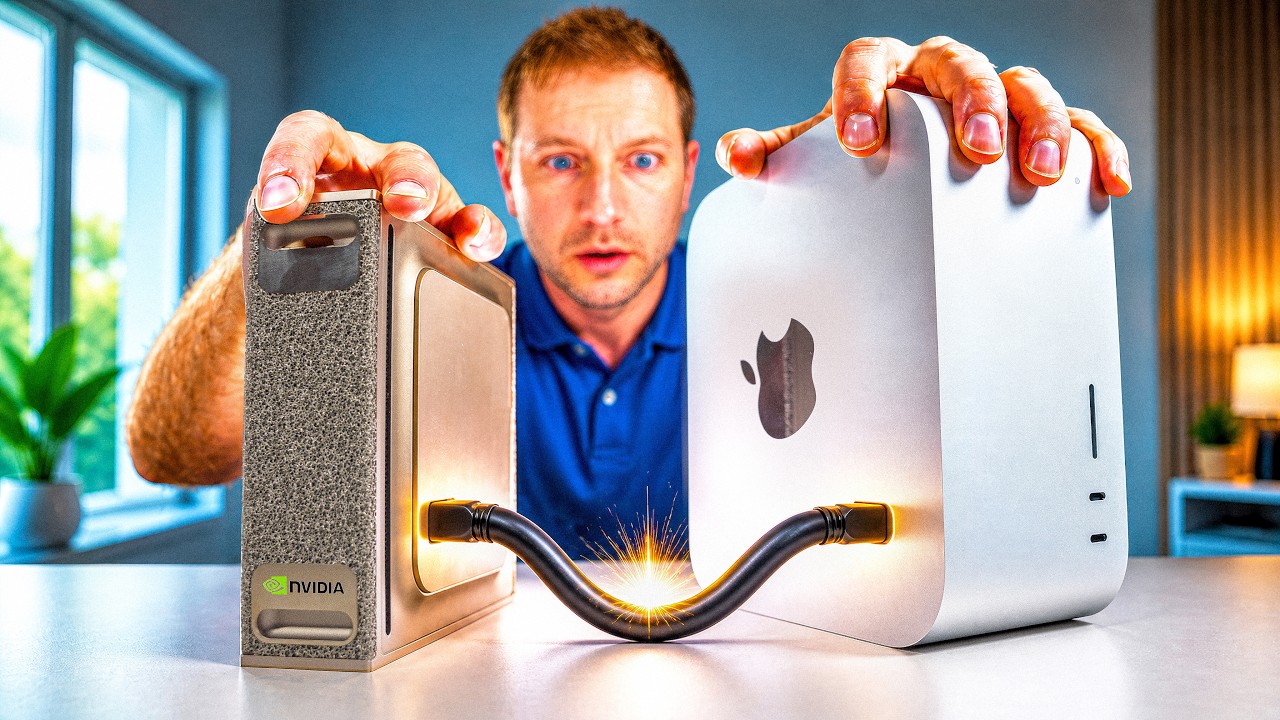
At a glance
Rakin Jakaria opens by showing a finished cinematic portfolio website, tells you it came out of Claude Fable 5 from one single prompt, and then spends the next six minutes showing you the exact setup that produced it before spending the last three scrolling through the result. The setup is short enough to write on a napkin: run Claude Code inside the Claude desktop app, bolt on the Higgsfield MCP server as a custom connector so Claude gains image and video generation it does not have on its own, switch the model picker to Fable 5, point it at an empty project folder, drop in one long prompt and one clear photo of your face, and press send. What comes back is a scroll driven site with a 3D terminal hero, animated stat counters, a skills marquee, and four AI generated video clips of Rakin himself, face locked to the photo he uploaded, two of which Claude decided were not good enough and regenerated without being asked. He rates it ten out of ten with one exception, a single clip whose rendering of him he calls "a little bit artistic type," and notes you can simply say you did not like it and get it replaced. The prompt is free in the video description; the model is not, and he is direct about that too.
The whole machine, in one picture
Everything in this video hangs off a single insight: Claude Code is a very capable builder that cannot draw. So the entire first half is about handing it a pair of eyes and hands through MCP, and the entire second half is what a model does when it has them.
The first ten seconds are the whole pitch (0:00)
There is no intro card and no channel branding. The video opens on the finished website already scrolling, and Rakin talks over it:
This whole animated portfolio website was made by Claude Fable 5 just from one single prompt, and that same prompt has been given in the description completely for free. You can grab it right now.
Three claims land in one breath, and they are worth separating because the rest of the video is a proof of each one in turn. The first is that the artifact on screen is a real, working, animated website rather than a mockup, which he backs later by opening it on localhost and scrolling the entire thing end to end on camera. The second is that it came from one prompt, singular, not a conversation, not twenty rounds of fixing, which he backs by pasting the prompt on camera in one go and pressing send once. The third is that the prompt is free, which he repeats twice more before the end and which is the actual business model of the video: the prompt is the giveaway, the click is the price.
He then says, "So in today's video I'm going to show you how you can make this exact website for yourself, but before that take a look this website real quick." That structure, tease the artifact, then the setup, then the artifact again in full, is the shape of the whole ten and a half minutes.
Where this actually runs: Claude Code inside the desktop app (0:22)
The first thing he clarifies is what he is looking at, because it is not a terminal.
So here I can see I'm inside the Claude Code and I'm using that through the Claude desktop application.
This is the detail that quietly makes the rest of the video approachable to the audience it is aimed at. Claude Code has a reputation as a command line tool, and a command line is exactly the thing that stops a designer or a beginner from ever starting. Running it inside the Claude desktop app means the whole session happens in a graphical window with a chat box, a model dropdown, a plus button for attachments, and a settings pane with connectors in it. Every single step Rakin performs after this is a click or a paste. Nothing in this video is typed at a shell prompt.
He gives the download path explicitly:
If you also want to use that just simply go to claude.com/download and from here you can download that for your Windows or Mac. And after downloading when you install that you can easily use the Claude Code in the Claude desktop app.
So the prerequisite list at this point is exactly one item long: install the desktop app on Windows or Mac. He does not walk through the install, and there is no configuration step shown between installing and having Claude Code available in the window.
Why any of this needs a second tool at all (0:58)
Then comes the constraint that shapes everything else, stated as plainly as it can be stated:
So here our first task is we need to add the image generation and video generation models with the Claude Code, cuz Claude Code don't have the ability to generate images or videos, but for our website we really need that.
This is correct and it is the hinge of the video. Claude can write the markup, the styles, the scroll logic, the copy, and the layout for a portfolio site all day. What it cannot do is produce a single pixel of original imagery or a single frame of video. And the site Rakin is about to ask for is not a text site. Its centerpiece is four cinematic video clips of him. Without a video model attached, the best Claude could do is leave four black rectangles with the word PLACEHOLDER in them.
His fix is Higgsfield, a hosted platform that exposes image and video generation models, and which publishes a remote MCP server. MCP, the Model Context Protocol, is the mechanism by which Claude gains a capability it did not ship with: you register a server once, Claude discovers the tools that server offers, and from then on Claude can call them mid task in the same way it calls its own file editor. Adding the Higgsfield MCP is therefore not a side quest. It is the step that turns "Claude builds a website" into "Claude builds a website with original video in it," and it takes about ninety seconds of clicking.
Adding Higgsfield as a custom connector (1:08)
The wiring sequence is short and he does not skip a click. In the Claude desktop app he opens the settings pane, which the captions render as "the customer section," and from there:
And here I'll go with connectors. After that I'll just simply go with add, then I'll go with add custom connector, and the name of the connector is Higgsfield. So I'll just type that. After that I have to give the remote MCP server URL.
So the shape of the form is: a Connectors list, an Add button, an Add custom connector option, a name field, and a URL field. The name is arbitrary and only exists so you can recognize the connector later. The URL is the part that matters, and it is not something you can guess.
Getting the server URL from higgsfield.ai (1:35)
He sends viewers to the link in the description, which lands on higgsfield.ai, and then names two preconditions in one sentence:
So if you follow that link you will simply come to this website higgsfield.ai and make sure that you first have an account, and after that you simply have to go to MCP and CLI. So for the MCP in here I'll use the Claude.
Two things are worth pulling out. First, an account is required before the URL is of any use, because the URL is tied to your Higgsfield account and the connection is authorized against it a few seconds later. Second, Higgsfield's own dashboard has a page called MCP and CLI that offers the connection string per client, and he explicitly picks the Claude variant from that page rather than a generic one. Different clients get different setup snippets, and choosing the wrong one is the classic way this step fails silently.
So here, I'll simply copy this exact URL, just like this. And then I'll just paste that inside Claude Code. In this exact place. Now I'll go with add.
Copy from the Higgsfield dashboard, paste into the Claude connector URL field, press Add. That is the entire integration.
Connect, and the allow prompt (2:05)
Adding the connector is not the same as authorizing it, and he shows the difference:
It will take some time. As you can see, it's connecting. And now we have to connect that with our Higgsfield account. So for that I'll go with connect. And now it will automatically pop up something like this. And you only have to go with allow, so that it can connect with your Higgsfield account. And just like this, as you can see, we successfully added the Higgsfield with our Claude Code.
The flow is the familiar OAuth handshake: the connector appears in the list, you click Connect, a browser style consent window pops up asking whether this client may act on your Higgsfield account, you click Allow, and the connector goes green. There is no API key to copy, no environment variable, no config file. Anyone who has ever connected an app to a Google account has done this exact dance.
He then makes a point that is easy to miss but is genuinely useful:
So here we can use the Higgsfield also from Claude Chat and Claude Cowork. But in this case we want to use the Claude Code, so that we can make a beautiful website through the Higgsfield MCP.
The connector is registered at the account level, not the tool level. Once Higgsfield is attached, it is available to Claude in ordinary chat and in Claude's agentic surfaces too, not only inside Claude Code. He chooses Claude Code specifically because Claude Code is the surface that can write files to a folder on his disk, and a website is a folder of files. Chat could generate the videos but could not assemble the site around them.
The permissions fork (2:30)
Before the run starts he changes one setting, and it is the setting that determines whether this is a ten minute video or a forty minute one:
So here our first task is we have to give approval to always allow, so that it doesn't bother us every time just by asking different permissions. And no worries, it's safe. But if you want to keep everything very secure, then you can go with need approval every time.
This is the honest fork in the road, and to his credit he shows both prongs rather than only the convenient one. A build like this involves dozens of tool calls: file writes, directory creation, several separate Higgsfield generation calls, a local server start. On approve every time, each of those raises a dialog, and since the run is long enough that he leaves the desk, every one of those dialogs would be a stall. On always allow, the agent runs unattended to completion.
His "no worries, it's safe" is doing a lot of work in one clause, and the safer reading is the one he offers immediately after: the choice is convenience against oversight, and if you want oversight you keep the prompts. That trade is not specific to this workflow. It is the same trade every agentic coding setup makes, and the reason the option exists at all.
Choosing the model, and the billing cliff behind it (3:05)
Back at what he calls the common dashboard of Claude Code, he stops before typing anything to change the model:
And here we have to give a command, and based on the command it will work. But before that, make sure you choose the Claude 5, cuz that's the main thing in here.
"That's the main thing in here" is the strongest claim in the video about why the result looks the way it does, and it is the reason the model name is in the title. Then comes a genuinely odd aside about availability:
I hope you know that Claude 5 was shut it down for some days. And recently it just activated again. And to use that, you simply have to go to the model section, and here make sure you're choosing Claude 5.
So at the time of recording, access to the model had been withdrawn for a period and had just come back. He does not say why. What he does spell out, in unusual detail for a channel of this size, is the metering notice attached to it:
And if you use that before July 7, you'll see something, a notification, that you can use up to 50% of your plan limits on 5 through the July 7. And after that, it will be switched to the user's credits to continue using it.
Read that carefully, because it describes a two stage arrangement. Until July 7, usage of the model draws against your existing plan limits and is capped at half of them. After July 7, usage moves onto a credits system that is separate from the plan you already pay for. His forecast is blunt:
And I hope that after the July 7 it will be very much expensive to use. Cuz the thing is, even you are pro plan user or max plan user, it really doesn't matter for Claude. You have to give extra money to Anthropic to use this exact model.
Whether or not the prediction held, the structural point he is making is real and it recurs at the very end of the video: the prompt is free, the tutorial is free, and the model that makes the prompt work is the part you pay for, on top of a subscription you may already have. He closes the beat with, "So let me choose the 5," and picks it from the dropdown.
Pick the folder before you type anything (3:48)
One sentence, easy to skate past, and it is the difference between a website and a mess:
A simple thing to mention here, make sure you choose a folder where the complete website will be stored. In here as you can see, I made a folder named as portfolio site where all of the elements of my website will be stored there.
Claude Code works inside a working directory. Everything it writes lands there, and everything it can read has to be there. He creates an empty folder called portfolio site ahead of time and opens Claude Code against it. This looks like housekeeping at 3:48. At 5:20 it turns out to be the single most consequential decision in the setup, because the photo has to live in that same folder for the face lock to work at all, and he devotes a full minute to explaining exactly why.
The prompt goes in as one paste (4:00)
So now let's give the command. So here's the prompt, and as already told you, this exact prompt has been given in the description completely for free. So here I'll select that from the top to the bottom like this. And then I'll copy that. And then I'll paste that in this exact place.
He selects the whole thing top to bottom, copies, pastes. It is long enough on screen that selecting it is a visible drag rather than a click. He then does something more useful than reading it aloud:
So let me give you a quick overview of this exact prompt instead of reading the whole thing from the top to the bottom.
What follows is the most valuable ninety seconds in the video, because it is a working demonstration of what a prompt has to contain to produce a site like this in one shot. Here is everything he calls out, in his order.
The frame. He tells Claude to "build me a cinematic portfolio website, the kind you see win awards." Not "a portfolio site." A reference class, and a quality bar stated as a category of thing rather than a list of features.
The signature shot. "The main thing, the hero is a 3D terminal that spins and unfolds as I scroll down. That's the main shot." One specific, unusual, memorable hero interaction, described as a motion tied to scroll position rather than as a static object. This is the element the finished site is built around.
The four video briefs. He asks for four video clips of himself, generated with Seedance 2.0 inside Higgsfield, and each one gets its own one line scene description rather than a shared instruction. The first is him in a studio with a floating terminal. The second is him in a gallery. The third is him in a creative studio. The fourth is him walking down a corridor of screens. Four settings, four different framings, one subject.
The face lock, which he flags as the key part. "And here's the key part. It uploads my photo and locks my face into every single clip. So it's actually me in all of them, not some random AI guy." The prompt is not asking for a person in a corridor of screens. It is asking for him in a corridor of screens, four times, consistently, from one reference photo.
The page structure. Then the layout, listed as a sequence down the page: his name animating in letter by letter, stat counters that count up as you scroll, a three pillar section, a work gallery, and a skills marquee. Five distinct sections, each named by the thing it does rather than by a generic label.
The motion rule that ties it together. "And all of it paint to the scroll. So it feels smooth and very expensive." Every animation is driven by scroll position rather than by a timer. That single constraint is what separates a site that plays animations at you from a site that responds to you, and it is the reason the finished result reads as a piece of production work rather than a template.
The closing instruction, which is really three instructions. "And at the end I tell it, don't cut corners, don't simplify, run it on localhost and check everything's buttery before you call it done." Do not reduce scope. Do not substitute a simpler version. Start the thing, look at it, and verify it before reporting success. That last clause is the one that matters most in an agentic run, because it converts "write some files" into "write some files, serve them, inspect the result, and iterate until it is right," which is a meaningfully different job.
The photo, and the one minute that saves the whole run (5:20)
The prompt alone will not produce a site with his face in it. The prompt refers to a photo, so the photo has to be attached, and it has to be attached in a particular way:
And last of all, make sure that you upload your image. So for that I'll go with plus and then I'll go with add files or photos.
Plus button, add files or photos, pick the image. Straightforward. And then he stops the video to explain a rule that looks like superstition until you understand the plumbing:
So here you can see here's our image, and here make sure that you stored your image in the exact folder that you're using for this exact project. In this case we're in the portfolio site folder, and I also choose this exact folder, as you can see, portfolio site, for this exact project inside the Claude Code.
Then he asks the question a viewer would ask, and answers it properly:
So what will happen if you not store your image in this same folder? So basically Claude will just describe this image to Higgsfield as like a text description or like a face description of yours instead of uploading your image, cuz Claude can't find this exact image as a file. But if I stored this image inside that exact folder, Claude can find this image and also it can send that to the Higgsfield as a file or as a binary file, whatever you say.
This is the most technically interesting claim in the video and it is worth sitting with, because it describes a real and non obvious failure mode of agentic workflows. Two very different things can happen when you ask an agent to send an image to another service, and both of them look like success from where you are sitting.
In the good case, the image is a file inside the agent's working directory. The agent has a real path to it. When it calls the Higgsfield tool, it passes the actual bytes, and the video model receives a reference photograph. The face in the output is your face, because the model is doing identity transfer from a real image.
In the bad case, the image only ever existed as an attachment in the chat, outside the working directory. The agent can see it, in the sense that it can look at it and understand it, but it has no file on disk to hand over. So it does what a helpful assistant does: it writes a description. Something to the effect of a man in his twenties, short dark hair, glasses, and passes that text to the video model instead. The generation succeeds. Four clips come back. They contain a plausible person who matches the description and is not you. This is exactly the "some random AI guy" outcome the prompt was written to avoid, and nothing in the run reports an error, because from the tool's point of view nothing went wrong.
| What happens | Photo inside the project folder | Photo attached from anywhere else |
|---|---|---|
| What Claude can reach | a real file at a real path | an image it can see but not hand over |
| What reaches Higgsfield | the image itself, as binary | a written description of your face |
| Who is in the four clips | you, consistently, in all four | a stranger who roughly matches the text |
| Does the run report a failure | no | also no, which is the trap |
| When you find out | never, it just works | seven minutes later, watching the result |
He adds one more requirement on the photo itself:
And also one thing to mention here, make sure the image you'll upload that is pretty clear. If it's blurry, then it will lose the quality.
Reasonable and consistent with how identity conditioning works everywhere else: the reference photo is the ceiling. A soft, low resolution, badly lit source gives the video model less to lock onto, and the degradation shows up multiplied across four clips.
Then he presses open, and takes stock of what the entire setup adds up to:
So that's our complete prompt, one single prompt, one image.
Send, and the wait (6:25)
And now we'll go with send and you'll see that it'll give us the complete animated site. So here you can understand that it will do so many things and it will obviously take some time, cuz here it have to make a complete website. And not only this, it have to generate four video clips through the Seedance 2.0 inside Higgsfield.
He is setting expectations, and he is right to. This is one request that expands into a long chain of work: write the site, call an external video model four separate times, wait for each render, look at the results, and assemble everything into a running local server. And then he names the last factor:
And in here we're using the Fable 5, which is the latest and strongest model of Claude. And as well as that's also very slow model. So let me back with you after getting the complete website.
Strongest and slowest, stated in the same sentence with no apparent tension, which is the honest way to put it. He cuts away rather than showing the wait. The video gives no wall clock number for how long the run took, which is one of the few numbers a viewer would genuinely want and does not get.
What came back (6:55)
The cut lands on a finished run, and he scrolls back up through Claude's own log to narrate what it did:
So we just now got the site. As you can see, there's the image we uploaded and that was the prompt. And it just uploaded the image. And it just got the idea of that image.
So the transcript of the run confirms the file path story from 5:20: the image was uploaded, as a file, and understood. Then:
After that it used that videos. Here's the like videos. And as I already told you, we want to generate like four videos. Again, it uploaded those videos in the Higgsfield and then got those IDs.
Each generation returns an ID rather than a finished file inline, which is how asynchronous media APIs generally work. You submit a job, you get a handle, you poll or collect later. Claude tracked four of them.
And then the moment that is easy to skip past and is the most interesting thing that happens in the entire run:
And some of the videos doesn't seems very good. So it regenerated again by itself. It just took two videos and it regenerated those again.
Nobody asked for this. The prompt did not say check the videos and redo any that are weak. What it said was "don't cut corners, don't simplify" and "check everything's buttery before you call it done," and the model appears to have extended that standard from the site to the media inside it. It looked at four finished clips, judged two of them below the bar, and spent the extra time and the extra Higgsfield calls to replace them before ever showing Rakin a result. Self critique on generated media, unprompted, at the cost of a longer run.
The outcome, in his words:
As you can see, the videos' quality is really good cuz in here we're using the Seedance 2.0. That's very awesome. As you can see like how my face is literally matching with these videos. Awesome.
The face lock worked. That is the claim the whole first half was built to make possible, and it is the one he verifies out loud first.
Opening it: the site tour begins (7:40)
And at last it given me, here's the website. So if I just open this localhost, I can see it's loading right now. So basically it takes like some seconds to load.
Claude finished by starting a local server and handing back a localhost URL, exactly as the prompt's last line demanded. He clicks it, and the page takes a few seconds to appear. He mentions the load time without complaint, though it is worth noting what is behind it: a site whose hero is a 3D scene and which carries four AI generated video clips is not a light page, and a few seconds on localhost with no network latency at all is a hint about what it would feel like over a connection.
Then the reveal:
So here's the site, as you can see, at the top a small icon saying RJ, a blinking animation, and also here you can see a blinking animation.
His initials as a mark, and a blinking cursor treatment in at least two places, which is the terminal motif from the prompt showing up as a small detail rather than only as the big 3D hero.
Scrolling down: the whole site, section by section (7:58)
From here the video becomes a single continuous scroll, and it is worth reconstructing the order because the order is the design.
So if I scroll down you'll see the magic. I'm scrolling down down down. Okay, a little animation. If I scroll down again, any animation text is showing me like 199 Claude skills built, 13 tools shipped, 1 live paid community, and dozens.
That is the stat counter section from the prompt, and the numbers are his own: 199 skills built, 13 tools shipped, one live paid community, and a fourth figure the captions lose. They count up as the section enters the viewport rather than sitting there as static text. He explains what the numbers are about:
So basically talking about my Hello AI Skool community.
Next:
And if I scroll down guys, that's the other section, the creator. Okay. And here's a simple explanation about myself, what I do as a creator.
Then:
Okay, if I scroll down, the community. Okay, I have a community and explanation on that.
Then:
Again I'm scrolling down, the systems are built. If I scroll down again you can see a small animation showing I worked with Higgsfield, with Seedance 2.0, Agent Skills, and then n8n flows, Supabase, GSAP, and yeah, some of the things like this.
This is the skills marquee the prompt asked for, populated with the actual stack he works in. The captions mangle several of these names badly, but the shape of the list is clear: the AI video tooling he just used, Claude's Agent Skills, an automation tool, a database, and an animation library, scrolling past as a band.
Then:
If I scroll down again you'll see another section where I'm kind of like talking, and the topic I talk on on my YouTube channel basically showing in here as like a boxes.
A grid of topic cards standing in for his content pillars, with video of him talking behind or beside it.
And then the moment he reacts to most strongly:
And if I scroll down you'll see everything moving and the camera just shifting to me, and just looks very good.
The camera shifting is the scroll pinned motion doing its job: the transition between sections is not a cut, it is a continuous move that reads as a camera. That is the difference the single line "all of it pinned to the scroll" bought.
Okay, and it's saying me this complete website is built by using Claude Code plus Higgsfield MCP.
A build credit baked into the page itself, which is a neat touch given that the page is a promotional asset for exactly that pairing.
If I scroll down, okay, it's me coming like. Okay, and if I scroll, scroll, and it's saying in here, build tools like this for your businesses too, and there's like a two CTA, join my Skool community or watch my YouTube.
So the site closes on a value proposition line and a pair of calls to action pointing at his Skool community and his YouTube channel. The whole thing is a funnel with a 3D terminal on the front of it.
The verdict, and the one thing he did not like (9:17)
I think like that's 10 out of 10 from myself. Uh, you can understand that like it's really cool.
Then, immediately, the caveat, which is the only critical thing anyone says in the entire video:
Even though I don't like this figure exactly, but the rest of the things I liked, you can see.
Someone off camera laughs, and he explains:
Like the figure is like a little bit artistic type, but yeah, overall it's cool.
The complaint is about one of the four generated clips: the rendering of him in it drifted stylized rather than photographic. Not a wrong face, which was the failure mode the folder rule protects against, but a stylistically off one. This is the honest limit of one shot generation with an identity lock. Four clips came out of the same reference photo, two of the original four were already thrown away and redone by Claude on its own judgement, and of the four survivors he is happy with three.
The fix, which is the actual lesson (9:48)
We can fix that. We can just say that, you know, I didn't like the last video, just fix that. It'll do that instantly, no worries at all.
This is the beat the video treats as an aside and which is arguably its most useful takeaway. The whole session is still open. Claude still holds the context: which clip is which, what the brief for each one was, which Higgsfield job produced it, where the file sits in the folder, and how the site references it. So the repair instruction is a sentence of plain English with no specifics in it. You do not need to identify the file, restate the scene brief, or re run anything by hand. The one shot claim in the title is about the first result, not about the ceiling. The workflow after the first result is conversational.
He does not actually perform the fix on camera, so the "it'll do that instantly" is asserted rather than shown. It is the one claim in the video that is not demonstrated.
But just look at the quality of the website, how cool it is. If I scroll up again, you'll see everything just going back again. Just awesome.
And he scrolls back to the top, which reverses every animation on the way. That is the tell that the motion is genuinely bound to scroll position rather than fired once on entry. Sections that only animate in look broken on the way back up; sections that are pinned to scroll play backwards, which is what he is showing off.
The outro (10:04)
So if you want to build a website like this, just grab the prompt I've given in the description and just follow the guideline I showed you. You can do this too. It's very easy to do. You don't have to worry about at all.
And then the last requirement, which lands right back on the billing point from 3:05:
Make sure that you are Pro Plan or Max Plan user of Claude, cuz if you're free plan user, you can't use the Claude's latest model.
So the true cost of reproducing this is: a Claude subscription at Pro or Max tier, whatever the model costs on top of that once the plan allowance is exhausted, and a Higgsfield account with enough credit to render four video clips and then re render two of them. The prompt is free. Everything the prompt touches is not.
So yeah, that's the whole thing. I hope that this video helped you. If yes, then please drop a like. And as like always, see you in the new video guys. Till then, peace.
The run in order
- 0:00 Cold open on the finished site, already scrolling. One prompt, free in the description.
- 0:22 Establishes the surface: Claude Code inside the Claude desktop app, downloaded from claude.com/download, Windows or Mac. No terminal appears at any point in the video.
- 0:58 States the constraint the setup exists to solve: Claude Code cannot generate images or video, and this site needs four clips.
- 1:08 Settings, then Connectors, then Add, then Add custom connector. Names it Higgsfield.
- 1:35 Goes to higgsfield.ai, signs in, opens the MCP and CLI page, picks the Claude variant, copies the remote server URL, pastes it into the connector form, presses Add.
- 2:05 Connector connects, he clicks Connect, an Allow consent window pops up, he allows it. Notes the connector now also works in Claude chat and Cowork, not only Claude Code.
- 2:30 Sets permissions to always allow so the long run is not interrupted, while naming the alternative for anyone who wants oversight.
- 3:05 Switches the model picker to Claude Fable 5. Mentions it was unavailable for some days and had just come back, and reads out the metering notice: up to 50% of plan limits until July 7, credits after that. Predicts it gets expensive.
- 3:48 Points Claude Code at a prepared empty folder called portfolio site.
- 4:00 Selects the prompt top to bottom, copies, pastes it in one go.
- 4:16 Walks the prompt: award winning cinematic frame, 3D terminal hero that spins and unfolds on scroll, four clip briefs, the face lock, five page sections, everything pinned to scroll, and don't cut corners, don't simplify, run it and check it.
- 5:20 Attaches the photo via plus, add files or photos, and spends a full minute on the rule that the photo must live inside the project folder or Claude sends a text description instead of the image.
- 6:25 Presses send. Warns it will be slow, calls Fable 5 the strongest and the slowest, and cuts away. No duration is ever given.
- 6:55 Reviews the run: image uploaded and understood, four Higgsfield jobs submitted and their IDs collected, and then the unprompted part, Claude judged two of the four clips weak and regenerated them itself.
- 7:29 Confirms the payoff: the face matches across the clips.
- 7:40 Opens the localhost URL Claude started. Takes a few seconds to load. RJ mark, blinking cursor.
- 7:58 The scroll tour: stat counters (199 skills, 13 tools, 1 live paid community), the creator, the community, systems built, the skills marquee, the topic grid, the camera shift, the built with credit, and two closing calls to action.
- 9:17 Rates it ten out of ten, with one exception: one clip renders him "a little bit artistic type."
- 9:48 The repair path: just say you did not like the last video and it fixes it. Asserted, not shown. Scrolls back up and every animation runs in reverse.
- 10:04 Outro: grab the prompt, and you need Pro or Max, because the free plan cannot reach the model.
Where it stands: an honest footnote
Having rebuilt the video, a few things are worth saying plainly, none of which were said in it.
The "one prompt" claim is true and narrower than it sounds. One prompt did produce the site, and that is genuinely impressive. But the prompt is long, specific, and clearly the product of iteration that happened before the camera turned on. It names a hero interaction, four separate scene briefs, five page sections, a global motion rule, and a completion standard. Calling that one prompt is accurate in the same way that calling a detailed brief one document is accurate. The skill did not disappear, it moved into the brief.
Two of the four clips were regenerated, which cuts both ways. It is a real demonstration of an agent holding a quality bar without supervision, and it is also a reminder that the first output of a generation model is often not good enough, and that the run cost roughly six video renders rather than four. If you are metering credits, budget for the retries.
The one clip he did not like is the honest error bar. Four clips from one photo, three good, one stylized. That is a reasonable hit rate for identity locked video generation and it is not the same as a reliable one. The video shows the fix path but does not run it, so nobody watching sees how long or how many credits a repair actually costs.
No wall clock number is given anywhere. He says it is slow, cuts away, and comes back. For a workflow whose main hidden cost is time, that is the number most worth having and the one the video does not provide.
The stack has two paid dependencies, not one. A Claude Pro or Max subscription is stated. A funded Higgsfield account is not stated, but four video renders plus two regenerations are not free anywhere, and without them the entire second half of the site is empty rectangles.
The site was only ever seen on localhost. Nothing in the video covers deployment, hosting, a domain, responsive behaviour on a phone, load time over a real connection, or accessibility. A scroll pinned 3D hero carrying four video clips is a heavy page, and localhost is the friendliest possible environment for it. The gap between "runs beautifully on my machine" and "is a portfolio site people visit" is real and entirely out of scope here.
None of that undercuts the core result. The interesting claim in this video is not that AI can write HTML. It is that a single agent, given one external tool through MCP, can hold a multi step media pipeline together: read a reference photo, brief a video model four times, evaluate its own returned media, redo the weak results, assemble everything into a coherent scroll driven page, serve it, and check it. That is a real capability demonstration, and it is demonstrated rather than asserted.
Key takeaways
- The bottleneck is capability, not code. Claude Code can build the entire site unaided. What it cannot do is produce a single image or video frame, which is why the first two and a half minutes of the video are about attaching Higgsfield through MCP rather than about web development.
- Adding an MCP connector is a five click job in the desktop app. Settings, Connectors, Add, Add custom connector, name plus remote server URL, then Connect and Allow. The URL comes from the Higgsfield dashboard's MCP and CLI page, and you need an account first.
- The photo must be inside the project folder. If it is, Claude passes the actual file to the video model and your face is locked into all four clips. If it is not, Claude passes a written description instead, the run still succeeds, and you get four clips of a stranger. Nothing errors, which is what makes it dangerous.
- A clear reference photo is the ceiling on the output. Blurry in, degraded out, multiplied across every clip.
- The prompt contains no technology, only intent. No framework, no library, no colour palette, no file layout. It specifies a quality reference class, one signature interaction, four scene briefs, a consistency requirement, a section list, one motion rule, and a refusal to accept a reduced version.
- "Don't cut corners, don't simplify, run it and check it before you call it done" is the most load bearing sentence in the prompt. It is what turned the run into an agentic loop rather than a file dump, and it is the most plausible reason Claude regenerated two weak clips on its own initiative.
- Pinning every animation to scroll is what makes it feel expensive. The proof is scrolling back up: the whole page runs in reverse, which only happens when motion is bound to scroll position rather than fired once.
- Choosing the working directory before you start is not housekeeping. It determines what Claude can read as a file, which determines whether the face lock works at all.
- Always allow versus approve every time is a real trade, not a formality. A run this long generates many tool calls, and he leaves the desk while it works.
- The first result is not the ceiling. The session stays open with full context, so the repair is a plain English sentence about the clip you did not like, with no file paths and no re briefing.
- Free prompt, paid engine. The prompt is in the description at no cost. Reproducing the result needs a Claude Pro or Max plan, model usage that moves onto credits after the plan allowance, and a funded Higgsfield account.
Chapters
- 0:00 The hook: one prompt, one photo, one animated site
- 0:22 Where this runs: Claude Code inside the Claude desktop app
- 0:58 The constraint: Claude Code cannot generate images or video
- 1:08 Adding Higgsfield as a custom connector
- 1:35 Copying the remote MCP server URL from higgsfield.ai
- 2:05 Connect, and the allow prompt
- 2:30 Permissions: always allow versus approve every time
- 3:05 Choosing Claude Fable 5, and the July 7 billing cliff
- 3:48 Pick the project folder before anything else
- 4:00 Pasting the prompt in one go
- 4:16 What the prompt actually asks for
- 5:20 The photo, and why it must live inside the folder
- 6:25 Send, and the wait
- 6:55 What Claude did: the image, four clips, two regenerations
- 7:29 The face matches
- 7:40 Opening localhost: the RJ mark and the blinking cursor
- 7:58 The scroll tour begins: stat counters
- 8:18 The creator and the community sections
- 8:33 Systems built, and the skills marquee
- 8:46 The topic grid, and the camera shift
- 9:04 The built with credit and the two calls to action
- 9:17 Ten out of ten, minus one clip
- 9:48 The fix, and scrolling back up in reverse
- 10:04 Outro: grab the prompt, and you need Pro or Max
Notable quotes
This whole animated portfolio website was made by Claude Fable 5 just from one single prompt, and that same prompt has been given in the description completely for free.
Rakin Jakaria, 0:00, the opening line and the thesis of the video.
Our first task is we need to add the image generation and video generation models with the Claude Code, cuz Claude Code don't have the ability to generate images or videos, but for our website we really need that.
Rakin Jakaria, 0:58, the constraint that the entire setup half exists to solve.
Here our first task is we have to give approval to always allow, so that it doesn't bother us every time just by asking different permissions. And no worries, it's safe. But if you want to keep everything very secure, then you can go with need approval every time.
Rakin Jakaria, 2:30, on the permissions fork, including the alternative.
Even you are pro plan user or max plan user, it really doesn't matter for Claude. You have to give extra money to Anthropic to use this exact model.
Rakin Jakaria, 3:20, on the metering behind the model.
Build me a cinematic portfolio website, the kind you see win awards.
Rakin Jakaria, 4:20, reading back the opening line of the prompt.
And here's the key part. It uploads my photo and locks my face into every single clip. So it's actually me in all of them, not some random AI guy.
Rakin Jakaria, 4:50, on the face lock.
And at the end I tell it, don't cut corners, don't simplify, run it on localhost and check everything's buttery before you call it done.
Rakin Jakaria, 5:12, the closing line of the prompt, and the most load bearing one.
Basically Claude will just describe this image to Higgsfield as like a text description or like a face description of yours instead of uploading your image, cuz Claude can't find this exact image as a file.
Rakin Jakaria, 5:40, on what goes wrong when the photo is outside the project folder.
Make sure the image you'll upload that is pretty clear. If it's blurry, then it will lose the quality.
Rakin Jakaria, 6:10, on the reference photo being the ceiling.
In here we're using the Fable 5, which is the latest and strongest model of Claude. And as well as that's also very slow model.
Rakin Jakaria, 6:40, strongest and slowest in the same breath.
Some of the videos doesn't seems very good. So it regenerated again by itself. It just took two videos and it regenerated those again.
Rakin Jakaria, 7:05, the unprompted self critique that is the most interesting event in the run.
As you can see like how my face is literally matching with these videos. Awesome.
Rakin Jakaria, 7:30, confirming the face lock worked.
If I scroll down you'll see everything moving and the camera just shifting to me, and just looks very good.
Rakin Jakaria, 8:50, on the scroll pinned camera move.
I think like that's 10 out of 10 from myself.
Rakin Jakaria, 9:17, the verdict.
Even though I don't like this figure exactly, but the rest of the things I liked. Like the figure is like a little bit artistic type, but yeah, overall it's cool.
Rakin Jakaria, 9:35, the only criticism in the video.
We can just say that, you know, I didn't like the last video, just fix that. It'll do that instantly, no worries at all.
Rakin Jakaria, 9:48, on the repair path, which is described but never demonstrated.
Make sure that you are Pro Plan or Max Plan user of Claude, cuz if you're free plan user, you can't use the Claude's latest model.
Rakin Jakaria, 10:15, the last requirement in the video.
Resources mentioned
- The source video: "Claude Fable 5 = Beautiful Animated Portfolio Website for Beginners" by Rakin Jakaria, published 4 July 2026, 10 minutes 35 seconds. The full prompt used in the build is in the video description, free.
- Rakin Jakaria on YouTube, the channel, and one of the two calls to action on the finished site.
- Claude desktop app download, the exact link he reads out at 0:22, for Windows or Mac. This is the only prerequisite install in the video.
- Claude Code, the agentic coding tool that writes the site, run here inside the desktop app rather than in a terminal.
- Claude Fable 5, the model he selects in the picker and calls "the main thing in here." Requires a Pro or Max plan; usage was capped at 50% of plan limits until 7 July 2026 and moved onto credits afterwards.
- Anthropic plans and pricing, the Pro and Max tiers he names as the entry requirement at 10:15.
- Higgsfield, the platform whose remote MCP server supplies the image and video generation Claude Code lacks. An account is required before the connection URL is usable, and the server URL comes from its MCP and CLI page.
- Model Context Protocol, the open standard behind the "add custom connector" step, and the mechanism by which Claude gains a tool it did not ship with.
- Seedance 2.0, the video generation model he specifies inside Higgsfield for all four clips, and credits for the quality of the result. The captions render its name several different ways, none of them correctly.
- Skool, the platform hosting the paid community counted in the site's stat block and linked from the finished site's first call to action.
- n8n, Supabase and GSAP, three of the tools scrolling past in the site's skills marquee at 8:33, alongside Higgsfield, Seedance 2.0 and Claude's Agent Skills.
- Agent Skills, also listed in the marquee, Anthropic's mechanism for packaging reusable capabilities for Claude.