At a glance
Peter Yang thinks Grok Bot is the future of personal AI agents, and this tutorial is his proof of work: five bots built on camera, each with the exact prompt he used, the iteration that fixed its output, and the scheduled routine that makes it run without him. Grok Bot's pitch is a dedicated personal computer in the cloud, with its own browser and operating system that stays signed in to your apps, living on SpaceX AI servers instead of on your desk. He builds an advisor that designs and spawns his other bots, a YouTube researcher that mails him outlier videos every morning, an X scout that digests his timeline and bookmarks, a digital Marie Kondo that unsubscribes, deletes, and cancels paid subscriptions to save real money, and a travel concierge that found a flight itinerary $2,700 cheaper than the one in his own planning document. As a bonus he installs Doom and Commander Keen on the cloud machine to see if it games (barely). His honest take lands at the end, where he put it: the cleanest UI in the category, a genuine trust hurdle for normal people, and at $200 a month it is not yet his daily driver against a $20 ChatGPT subscription.
The pitch: a dedicated computer in the cloud
A few weeks ago Yang tweeted that ChatGPT was one feature away from building the AI product he really wants, a dedicated personal computer in the cloud for running AI agents. Shortly after, Lee from the Cursor team DM'd him to test Grok Bot.
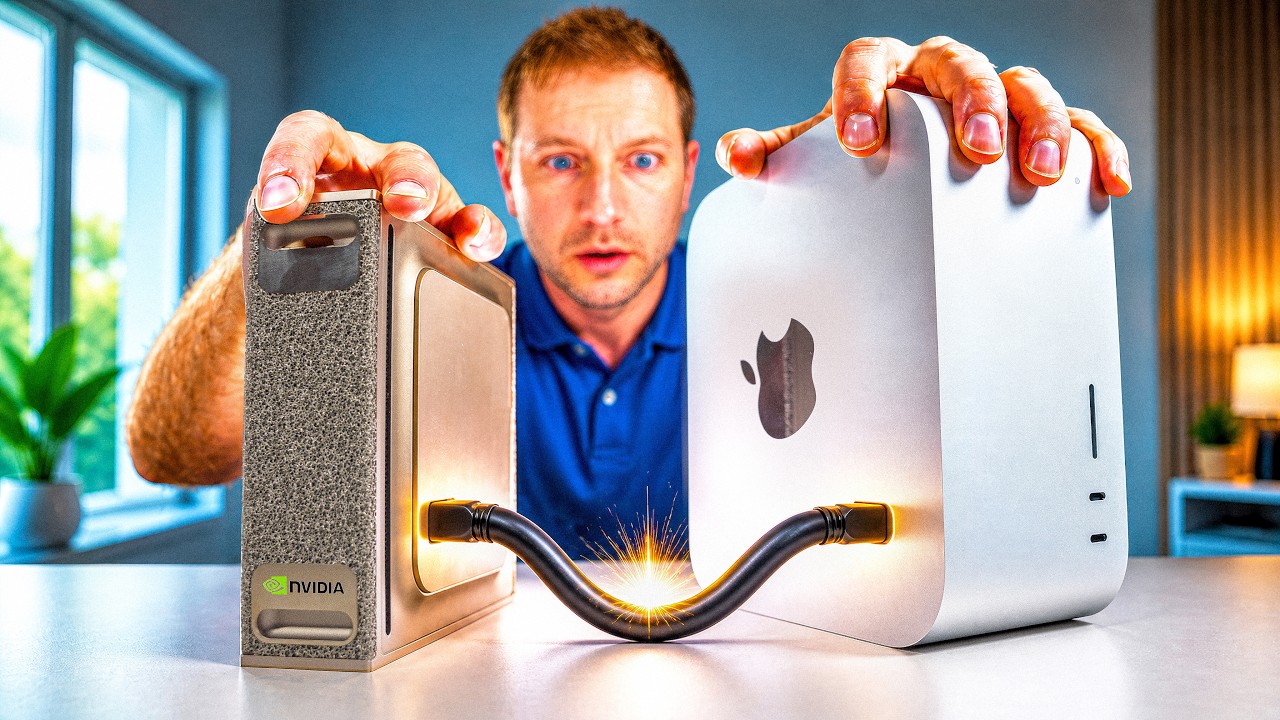
What exactly is a dedicated cloud computer? Yang reaches for the meme of people walking around with their laptop half open to keep their agents running. With Grok Bot you do not have to do that anymore, because the agent lives in a computer sitting somewhere in SpaceX AI's servers instead of in your home. It has its own browser and its own operating system that you can use, and it stays logged in to your favorite apps.
To place it, he runs a quick three way comparison. Hermes he runs on a Mac mini at home. It is on 24/7, which gives the agent a persistent computer, but you have to go buy the machine and set everything up yourself. You can technically run Hermes on a virtual private server instead, but that again means more setup work. ChatGPT Work uses plugins and a cloud browser, but that browser, at least right now, cannot stay signed in to your favorite apps, and the UX feels scattered across Chat, Work, and Codex. He shows it on screen: "It's just kind of like a mess of chat threads here," with Codex in one tab and Work in another, "all really confusing even to someone like me." Grok Bot, in contrast, gives you a persistent cloud computer right out of the box, and he thinks it is the easiest of the three to set up and get going.
The interface also feels more focused and delightful. He loves the little bots and the animations they make when they start working, and demos it live with a throwaway "look up the weather" prompt just to watch the subtle animations fire. Each bot has a different personality and style, which he credits to Cursor's design team, including Jenny Wen and other designers he has interviewed in the past on Behind the Craft. His verdict on the feel: this UX is more like talking to a coworker than getting lost in a hundred chat threads. Which sets up the real question of the video: can Grok Bot actually replace ChatGPT and Codex, his current daily driver?
| Three ways to run an agent | Hermes | ChatGPT + Codex | Grok Bot |
|---|---|---|---|
| Where the agent lives | your own Mac mini at home, on 24/7 | plugins plus a cloud browser | a persistent cloud computer on SpaceX AI servers |
| Setup | buy the machine, set it all up yourself (or rent a VPS, more setup again) | nothing to buy | easiest of the three to set up and get going |
| Staying signed in | persistent, it is your hardware | the cloud browser cannot stay signed in to your apps right now | its own browser and OS stay logged in to your favorite apps |
| Interface | you are the sysadmin | scattered across Chat, Work, and Codex, a mess of chat threads | focused and delightful, animated bots with personality |
| Cost | hardware up front | $20 a month | $200 a month for regular use (free to try) |
| Yang's read | persistent but DIY | more for the money, still his daily driver | the clearest glimpse of the future |
The first bot you should create after installing Grok Bot is an advisor, and Yang keeps his pinned to the very top of his Grok Bot list. The move is to start by telling it about your work and life, then ask it to pitch you bots. His exact brief:
I'm a creator and founder of Behind the Craft. I have two daughters and I
live in the Bay Area. I publish newsletter posts and YouTube videos focused
on practical AI tutorials and podcast interviews, and I also have a
membership portal. Based on all this, suggest five bots that can help save
me time or money, and for each explain what it would do in a few sentences.
The advisor came back with five bot ideas: a daily AI news scout, a YouTube comment miner, a membership concierge, a social media poster, and a podcast prepper. Then comes the part he says many people do not realize: you can get one bot to create the rest of your bots. He asked the advisor to build a single bot that both researches other channels and mines his comments, and to call it YouTube Researcher. The advisor kicked off the new bot itself, handing it an instruction to create a morning brief and send him YouTube intel every day. One bot, orchestrating the others, exactly the pattern the video's title promises.
Bot 2: the YouTube Researcher
The advisor's kickoff was generic, so Yang tightened it. First he told the researcher to monitor specific channels in his niche, and it started watching them. Its first brief came back exactly how first drafts come back: verbose and hard to follow, "just like a lot of stuff here." It did pull his own YouTube comments and find themes in them, which he liked, but the report was too much to process.
So he gave it a strict format. First, list your top three content ideas. Then the top five outliers from other channels. Then the top performing videos overall. Limit the research to the last 14 days, because AI YouTube is intensely topical. And add the top comment themes back into the report. He stops to flag the meta lesson: "this is how you should be working with AI, to refine its output instead of trying to one shot something."
The refined report is concise and readable. The top three content ideas included a video on his spec scale, which he already planned to make, and a video on Grok Bot, which is literally the one you are watching. The outliers section lists videos that beat their own channel's usual performance over the last 14 days, which he calls pretty interesting topics to follow up on, plus top performers overall and the comment themes. He had it send the full report once more to confirm the format, and then scheduled the daily job. Just that morning it had already sent him a fresh report with top angles, a watch list, and comment feedback. Net result: a researcher that proactively finds topics for him to make videos about and feeds back what his viewers are saying, every morning, unprompted.
Bot 3: the X Scout
Grok Bot is part of SpaceX AI, so it has first party access to X data, and Yang is honest about why he wants this one: "even though I have an unhealthy addiction to X, I still miss plenty of great content, or bookmark tweets that I never look at again." The prompt he gave his X bot:
Find the most viral X posts from the last seven days in my niche and create
a weekly report with the top 10 tweets from people I follow, engaged with,
or bookmarked, grouped into a few categories. Include full tweet copy, a
link, and your analysis, and end with three content ideas for me to tweet
about.
The bot found his X account and automatically created a routine to run this every morning, no scheduling step needed. The initial output grouped his feed into three themes. First, playbooks that people save, like Greg's "23 ways I use AI agents to grow my startup" and a Chinese developer's thread on going from loop to graph engineering. Second, comparisons of Grok Bot, Codex, and ChatGPT Work, including a tweet from Riley and one from Ben on the Cursor team about the most loved internal Grok Bot use cases. Third, creative workflows Yang actually wants to test. The report ends, as instructed, with three things to tweet about next.
Just for fun, he also asked it for the top five funniest tweets from his timeline. The number one funniest: "as usual, OpenAI and Anthropic kind of sniping at each other," with more comedy from his AI niche below it.
Then he upgrades the delivery, switching on voice input and simply saying it out loud: send me this report to my Behind the Craft email, make sure you include the full tweet copy, send it right now. The email lands, themes and full tweet copy intact, with the three tweet ideas at the bottom. It works because he has connected the Gmail plugin, and it matters because of a preference he states plainly: he wants to wake up with the top tweets in his inbox every morning, not open yet another app to go get them. The pattern, again: initial prompt, pull the information, iterate until the report is right, then have it delivered on a schedule through Grok Bot or straight to email.
Bot 4: Marie Kondo for your digital clutter
Yang's favorite named bot is the digital Marie Kondo. Clutter piles up in three places, he says: your email, your Google Drive, and your paid subscriptions. With the Gmail and Drive plugins connected, he gave it this prompt:
Audit my Gmail, Google Drive, and recurring email receipts and create a
cleanup plan. Find newsletters I never open. Find large or abandoned Drive
files. Try to identify paid subscriptions from email receipts (you can hook
up the Mercury MCP to get this data). Group everything into categories and
use a numbered list. Do not move, delete, unsubscribe, or cancel anything
without my approval.
Two details carry the weight here. Mercury is the bank he uses for his business, and hooking up its MCP gives the bot real transaction data for finding subscriptions; he had to sign in to Mercury on the remote cloud computer to make it work. And the last line is the one he calls really important for any bot that cleans up your files: you always want to review what it plans to delete before letting it remove anything.
The first report was a massive, honestly overwhelming wall of cleanup items, subscriptions to review, and things it should not touch. He told it to list and categorize properly. Still incredibly long. This stuff does not get right in one shot, he repeats, so he kept squeezing: show me a maximum of 10 items in each list and get rid of all the random labels. Much more digestible. One final pass: only show emails to unsubscribe from, Drive files to delete, and paid subscriptions to cancel, as a numbered list.
That numbered list is its own general tip, one he uses all the time: always ask Grok Bot, or any AI, to answer in a numbered list, because then giving orders is as easy as referring to the numbers instead of typing everything over again. Which is exactly what he does: unsubscribe from emails 3, 4, 5, 6, 7, and 8; in Drive, delete the extra tax return copy and some of the large files; in subscriptions, cancel 11 and 15.
Then the magic happens, his words. The bot unsubscribed from a pile of senders, trashed the three Drive files, and moved on to canceling Lovable and Equip Foods, a protein company. For Lovable he first had to sign in on the cloud computer with his own credentials, at which point they discovered Lovable was already scheduled for cancellation, so that one was done. For Equip Foods he signed in and the bot canceled the protein subscription for him. (He is careful to add that Equip Foods is a great protein company and he is only canceling because he has too many protein powders at home already.) Total time: about five minutes for work he estimates would have taken him 30 minutes to an hour by hand. "Marie Kondo is very, very useful."
One thing was missing, though: it sounded too much like a robot and not enough like Marie Kondo. So he asked, can you talk like Marie Kondo from now on, give me an example. The bot obliged, reporting that the unsubscribed newsletters "have completed their work. We thank them and place them in the trash where they may rest," and that "Equip Foods no longer sparks joy. Released the Prime Protein subscription with gratitude." His plan is to set Marie Kondo on a weekly or monthly routine to keep the digital clutter down and keep sparking joy, with the standing rule intact: numbered list first, review, then action, so it never accidentally deletes a file that matters.
Bot 5: the personal Concierge
The concierge is the bot Yang wants running under all of his vacation and travel plans. It has access to his vacation document, which lists his family's December trip to Japan along with a full itinerary he also built with AI. The flights are not booked yet, so the job is price surveillance with judgment. His prompt:
Read my vacation document and monitor the exact flight legs for my family
trip. Get the dates and the best options for each flight leg. Check
regularly and let me know when the price improves.
The bot found the flight legs in the document and started checking prices with Google Flights. So why not just set a Google Flights price alert? Because, Yang argues, Grok Bot understands the whole trip from the document and can decide what is actually better for his family, not just track one route. The proof is the big finding: his document laid out an open jaw itinerary, SFO to Tokyo, then Tokyo to Fukuoka, where they are headed, then Fukuoka back to SFO. Grok Bot found that a straight Tokyo round trip is about $2,700 cheaper than that plan. "A simple Google price alert would not have found this."
He then asked it to check every morning at 9:00 a.m. and flag when the price improves; as of recording, the Tokyo round trip is still much cheaper and prices are holding. Eventually, he notes, he can just ask the bot to book the flight or handle check in when the time comes. His general advice regardless of platform: keep a standing travel thread or travel bot, both to plan trips ahead of time and, once you are on location, to book amusement parks and figure out what to do each day. He expects to use this concierge a lot.
Bonus: the Gamer
Because Grok Bot hands you a dedicated cloud computer, Yang figured it would be fun to ask it to install retro games. He requested Red Alert, Doom, and Commander Keen, and the bot found the files and installed them on its own machine.
"Open Doom for us to play." Doom comes up in the virtual cloud computer, he starts a new game, picks an episode, and selects Hurt Me Plenty. And here, in his words, is where Grok Bot falls apart a little bit: because it is a virtual cloud computer, the mouse is not configured right for Doom. The view stares at the floor the entire time and he cannot get it to look up. Doom does not quite work here right now.
Commander Keen goes better. It is the platformer he played in his youth, and it loads clean: new game, one player, normal difficulty. He forgets how to jump, rediscovers that Ctrl is jump, and confirms it plays better than Doom, but there is enough keyboard and mouse lag to make the character genuinely hard to control. Verdict: Grok Bot is not replacing your gaming PC or GeForce Now yet. But the fact that an agent can install and launch games on its own computer, he argues, gives you a sense of how open ended this could become. His half joking dream: maybe SpaceX AI can use all those data centers and GPUs in space to deliver AAA games through the virtual cloud computer.
While he is in there he opens the file manager, which he says looks a little like Windows 3.1, and tours the machine: a Japan flights folder, the installed games, Chrome, and a terminal. That, in one window, is your virtual cloud computer.
His honest take: trust, pricing, and the daily driver question
Before wrapping, Yang names what he thinks is the biggest hurdle for Grok Bot adoption: trust. When a Google sign in screen appears on his own laptop, he does not think twice. When the same screen appeared on the virtual cloud computer, he hesitated, because how does he know nobody else is seeing that screen? The Grok Bot website addresses it in a privacy note at the bottom of the page: Grok Bot uses the same Cursor SSO auth and privacy mode you already trust, your cloud computer is encrypted in transit and at rest, and there is no AI training on top of it. That is enough for him, as a self described early AI adopter, to hand the machine access to his accounts. But he can see normal people struggling to understand what this cloud computer thing even is, and hesitating to sign in to their favorite apps on the device. His prediction: "the AI agent platform that figures out trust will be the first to get mass adoption."
Zooming out, he reads Grok Bot as a clear sign of the future: we are moving away from manually doing work with a keyboard and mouse on our laptops toward using our voice to orchestrate a bunch of agents that live in a dedicated cloud computer, and Grok Bot is the first product that actually enables that. It is still not his daily driver, for one plain reason: ChatGPT offers more for $20 a month, while Grok Bot requires $200 a month to use on a regular basis. Against that, Grok Bot has a much cleaner UI than ChatGPT right now and is very capable. And he is genuinely glad about the shape of the race: it is great to be in a world where Cursor and SpaceX AI are just as viable competitors as OpenAI and Anthropic, and Cursor may even have the edge if it keeps supporting multiple models from all providers.
Grok Bot is free to download and try, and he recommends doing exactly that to see a glimpse of the future. The prompts from the video are in his pinned comment, and he teases an exclusive interview with the Cursor team on how they built Grok Bot, coming in the next few weeks. His sign off on the product: "the team really cooked here."
| Bot | Job | The move that made it work | Result |
|---|---|---|---|
| Advisor | create and manage the other bots | brief it on your work and life, ask for five bot ideas | five tailored ideas, and it built the YouTube Researcher itself |
| YouTube Researcher | find outlier videos and content ideas | force a strict report format, limit to the last 14 days | a daily morning brief: three ideas, five outliers, comment themes |
| X Scout | surface the best posts from feed and bookmarks | first party X data, weekly top 10 with full tweet copy | the report emailed to his inbox every morning via the Gmail plugin |
| Marie Kondo | clean Gmail and Drive, cancel subscriptions | numbered lists, and nothing deleted without approval | unsubscribes, trashed files, two canceled subscriptions in about five minutes |
| Personal Concierge | watch flight prices for the Japan trip | let it read the whole vacation document, check daily at 9 a.m. | a Tokyo round trip about $2,700 cheaper than the planned open jaw routing |
| Gamer (bonus) | install and play retro games | the cloud computer can install anything | Doom stares at the floor, Commander Keen playable but laggy |
Key takeaways
- Grok Bot's core product is a persistent personal computer in the cloud, with its own browser and OS that stay signed in to your apps, which neither Hermes (buy and run your own hardware) nor ChatGPT Work (a cloud browser that cannot stay signed in) currently matches.
- Build an advisor bot first, brief it on your whole work and life, and let it design and spawn your other bots. One bot orchestrating the rest is the pattern most people miss.
- Every useful bot in the video followed the same loop: initial prompt, iterate on the output until the format is right, then schedule a daily, weekly, or monthly routine so the work happens proactively.
- Ask for output in numbered lists. It turns review into "unsubscribe 3 through 8, cancel 11 and 15" instead of retyping everything, and Yang uses the pattern constantly.
- For any bot that touches your files or money, put "do not move, delete, unsubscribe, or cancel anything without my approval" in the prompt and review the plan before it acts.
- Agents that read whole context beat dumb alerts: the concierge found a Tokyo round trip about $2,700 cheaper than the planned itinerary because it understood the entire trip document, something a per route price alert cannot do.
- The Marie Kondo bot did about 30 to 60 minutes of unsubscribing, file deletion, and subscription canceling in roughly five minutes, including working through real sign in flows on the cloud computer.
- Trust is the adoption bottleneck. Yang's bet is that the AI agent platform that figures out trust gets mass adoption first, and at $200 a month versus $20 for ChatGPT, Grok Bot is a glimpse of the future rather than his daily driver.
Chapters
- 0:00 How Grok Bot is different from ChatGPT and Hermes
- 3:30 Advisor: Create and orchestrate other bots
- 4:30 YouTube Researcher: Find outlier videos and content ideas
- 7:00 X Scout: Surface the best posts from your feed and bookmarks
- 10:30 Marie Kondo: Clean your email and save money on paid subscriptions
- 15:00 Personal Concierge: Get alerts for better flight prices for your trips
- 17:30 Gamer: Install and play retro games
- 20:30 My honest take on privacy, pricing, and whether GrokBot replaces ChatGPT
Notable quotes
"I think Grok Bot is the future of personal agents." (0:00)
"You know the meme of people walking around with their laptop half open to keep their agents running? You don't have to do that anymore if you're using Grok Bot." (1:00)
"Overall, I think this UX feels more like talking to a coworker than getting lost in a hundred chat threads." (3:15)
"What many people don't realize is that you can actually get one bot, in this case our advisor bot, to help us create the rest of our bots." (4:15)
"This is how you should be working with AI, to refine its output instead of trying to one shot something." (6:00)
"Even though I have an unhealthy addiction to X, I still miss plenty of great content." (7:10)
"You always want to review what it plans to delete before letting it remove anything." (11:15)
"It did all this in around five minutes when it would have taken me probably 30 minutes to an hour to do manually. Marie Kondo is very, very useful." (13:45)
"Equip Foods no longer sparks joy. Released the Prime Protein subscription with gratitude." (14:30, the bot, in character)
"A simple Google price alert would not have found this." (16:30, on the $2,700 cheaper routing)
"Grok Bot is not replacing your gaming PC or GeForce Now yet." (19:45)
"I think the AI agent platform that figures out trust will be the first to get mass adoption." (21:15)
"We're moving away from manually using our keyboard and mouse to do work on our laptops to using our voice to orchestrate a bunch of agents that live in a dedicated cloud computer." (21:30)
"It's just great to be in a world where Cursor and SpaceX AI are just as viable a competitor as OpenAI and Anthropic." (22:00)
Resources mentioned
- Grok Bot, the personal agent platform from SpaceX AI and Cursor that the whole video is about, free to download and try, $200 a month for regular use.
- ChatGPT and Codex from OpenAI, his current daily driver at $20 a month, with the Work mode he finds scattered.
- Hermes Agent, the self hosted personal agent he runs on a Mac mini at home.
- Anthropic, named in the closing competitive landscape (and starring in the funniest tweet of the week).
- X, the source of the X Scout's first party data.
- Gmail and Google Drive, the two plugins behind the email reports and the Marie Kondo cleanup.
- Mercury, his business bank, connected over MCP to identify paid subscriptions from real transactions.
- Lovable and Equip Foods (maker of Prime Protein), the two subscriptions the Marie Kondo bot canceled.
- Marie Kondo, the tidying author whose "spark joy" persona the cleanup bot adopts on request.
- Google Flights, the pricing source behind the concierge's daily 9 a.m. checks, and the open jaw ticket concept its $2,700 finding beat.
- Doom, Command & Conquer: Red Alert, and Commander Keen, the retro games installed on the cloud computer, plus GeForce Now as the cloud gaming yardstick and Windows 3.1 as what the file manager resembles.
- Behind the Craft and the Creator Economy newsletter, Yang's own publications, where designer Jenny Wen of the Cursor design team has appeared as an interview guest.
- Peter Yang's channel, where the prompts from this video live in the pinned comment and the upcoming Cursor team interview will land.